
Fleet management system
Never let a single
slip through the cracks
Vehicles, maintenance, fuel, inspections, HGS toll passes (Türkiye's electronic toll system) and traffic fines on one screen. Reminders go out automatically for everything that comes due, so there is no more digging through Excel files.
No installation · Excel import · Built for Türkiye
Chat with your fleet
Sample conversation; figures are illustrative. The assistant is read-only and never changes any record.
At a glance
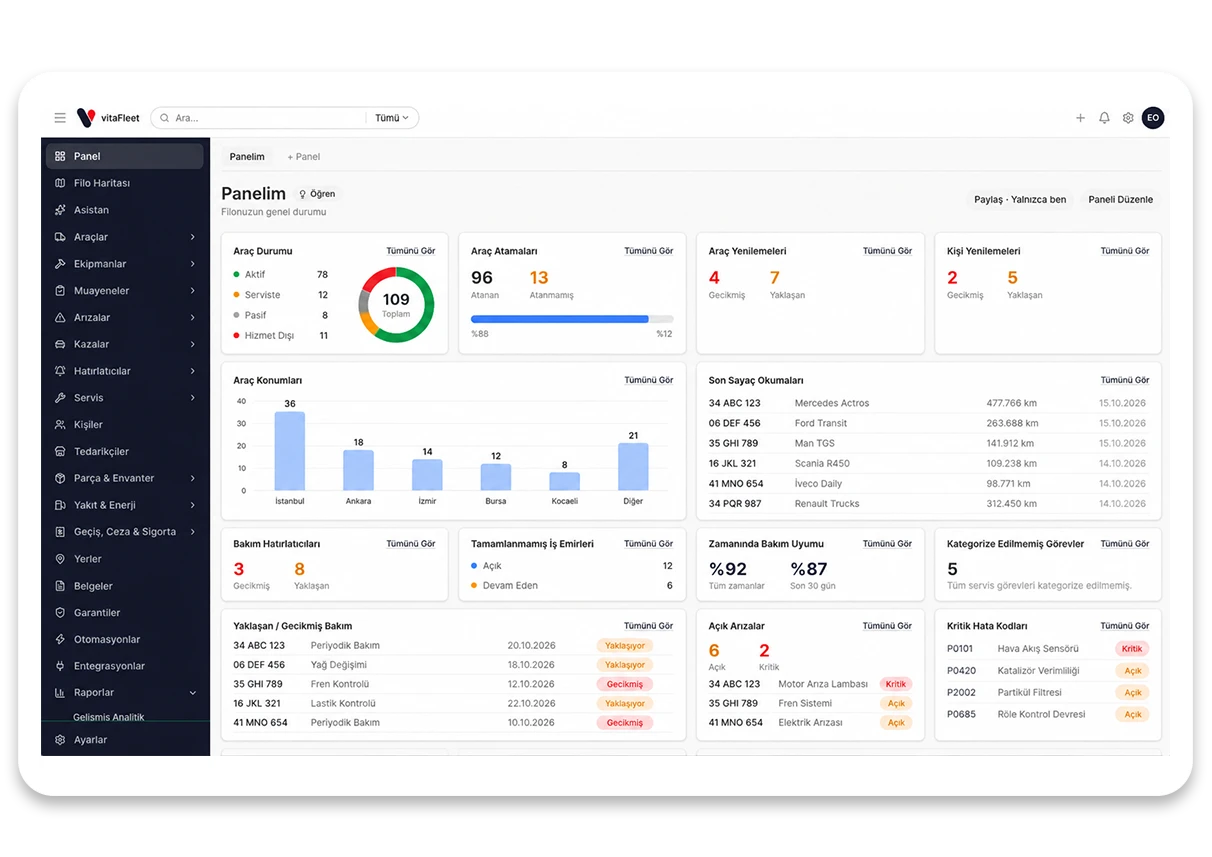
Your fleet in numbers, on one screen
Customize the dashboard and follow the pulse of your fleet in real time: cost trends, targets and key indicators together. The figures below are illustrative.
Primary goal
Fully tracked fleet
On-time maintenance
The share of maintenance closed by its due date rose 24% compared to the previous quarter.
Active reminders
18
upcoming due dates · in a single summary email
Predictive maintenance
Manage maintenance by the vehicle, not the calendar
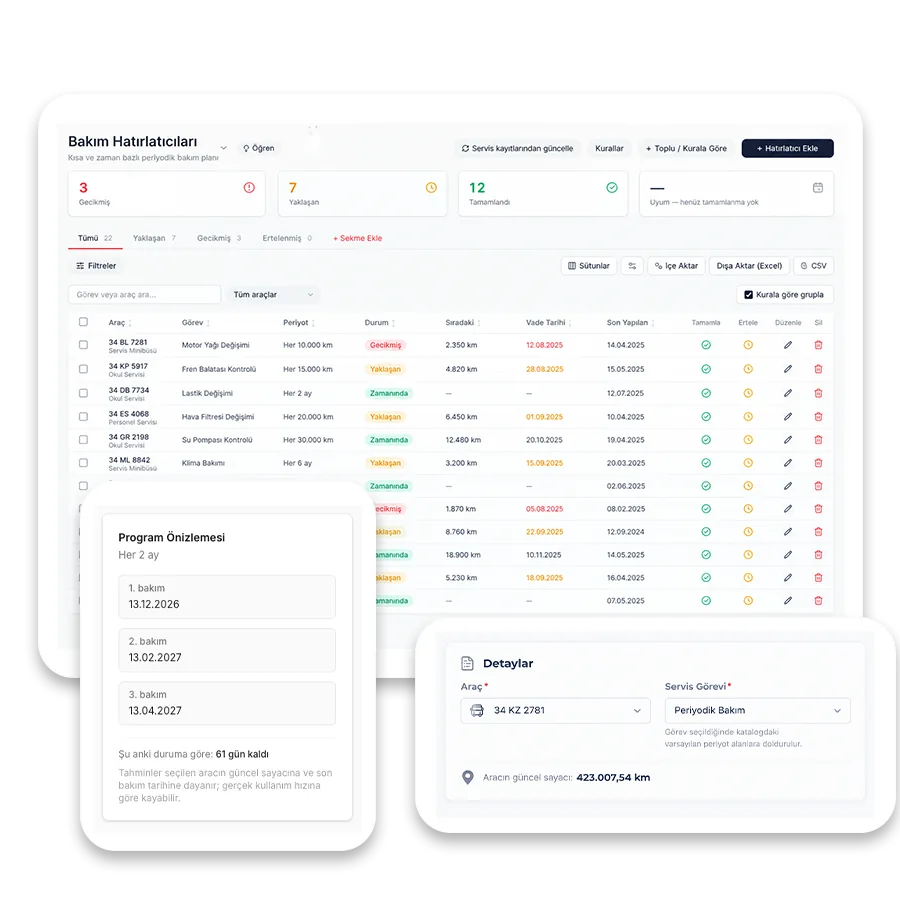
Intervals are defined in km and months together; whichever comes first is the due date. For a city vehicle the months run out first, on long hauls the km do — you never have to track the two separately.
Apply in bulk with service schedules
Don't set up reminders vehicle by vehicle: every task reaches a vehicle automatically once it is added to the service schedule.
A flow that turns into work orders
Due maintenance becomes a work order; when closed it lands in the service history and the reminder rolls forward on its own.
Notify the right person
The vehicle's watchers are informed; if there are none, it goes to fleet managers. Notifications are bundled into a single summary email per day.
Cost accountability
Every expense is tied to a vehicle and a driver
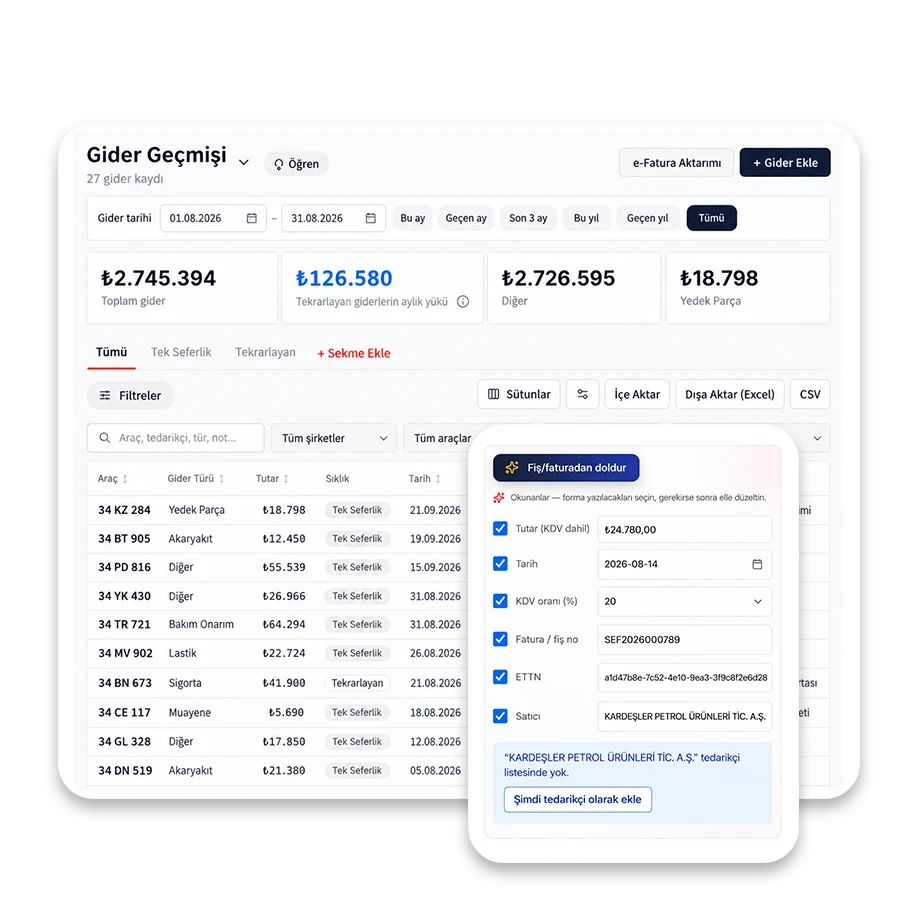
Fuel, tolls, fines, parts, labor and insurance are collected on the same vehicle record. At month end, the answer to "where did this money go?" is on a single screen.
Cost per km
Odometer readings update automatically from fuel, service and inspections; cost per km is calculated for each vehicle.
Driver matching
Fines and tolls are matched to the driver by checking the vehicle assignment at the time of the event. If there is no assignment, the record is written to the vehicle so it never goes unassigned.
Replacement decision
Replacement analysis weighs age, km and accumulated maintenance cost together and recommends keep / watch / replace.
Fleet tracking
See where a vehicle is and where it has been
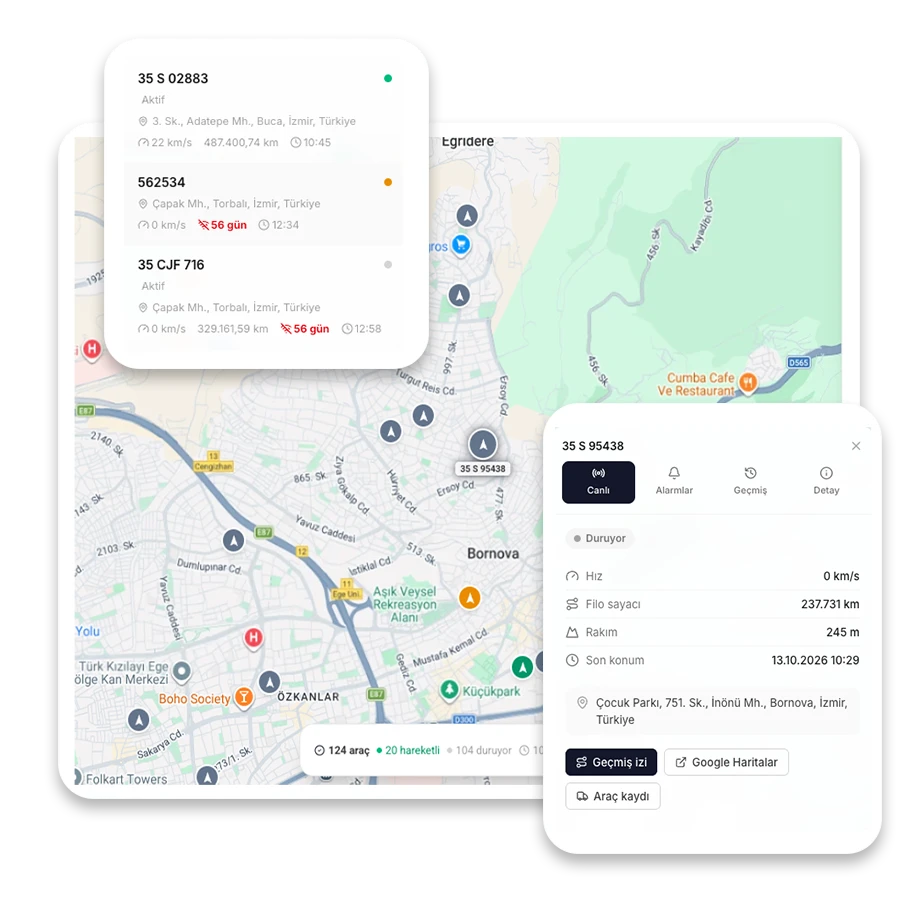
With the GPS integration, vehicle locations appear on the Fleet Map; it connects to your existing tracking device, so locations flow into vitaFleet without extra hardware. Define places like depots, job sites and garages, and follow how a vehicle moves relative to them.
Location on the map
The last known location of vehicles and defined places (depot, job site, garage) show on a single map; which vehicle is where is clear at a glance.
Vehicle history trail
Location records are kept with dates; you can look back at where a vehicle has been and when it entered and left defined places.
Defined places and boundaries
Define depots, job sites and service points and draw their boundaries; location records are matched to these places and cost can be viewed by site.
Invoice integration
Let your integrator bring in the invoices
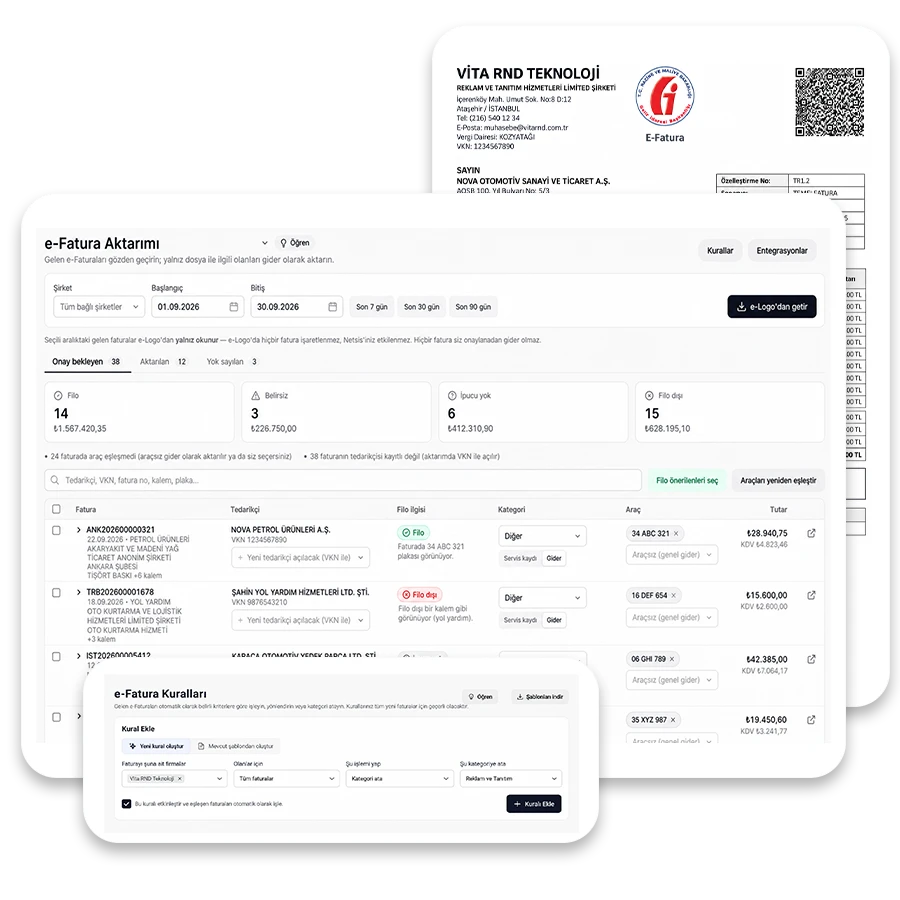
Invoices from e-Logo e-Invoice (Türkiye's electronic invoicing system) become fleet expenses; you only review and approve.
Fetch invoices
Choose the company and date range and fetch from e-Logo; line items are brought in too.
Review the suggestion
Fleet relevance, expense type, vehicle and supplier are suggested with a rationale; you correct them right in the row.
Import as a service record
Line items are mapped to service tasks and the maintenance reminder rolls forward.
Set up a rule
If a supplier always maps to the same expense type, later invoices are categorized automatically.
Who sees which invoice
The account owner sees all of them; other users see only their own scope.
Modules
Everything you need to run the fleet, in one place
From vehicle to work order, from part to report, the whole chain works as one. Information entered in one place shows up on the other screens automatically.
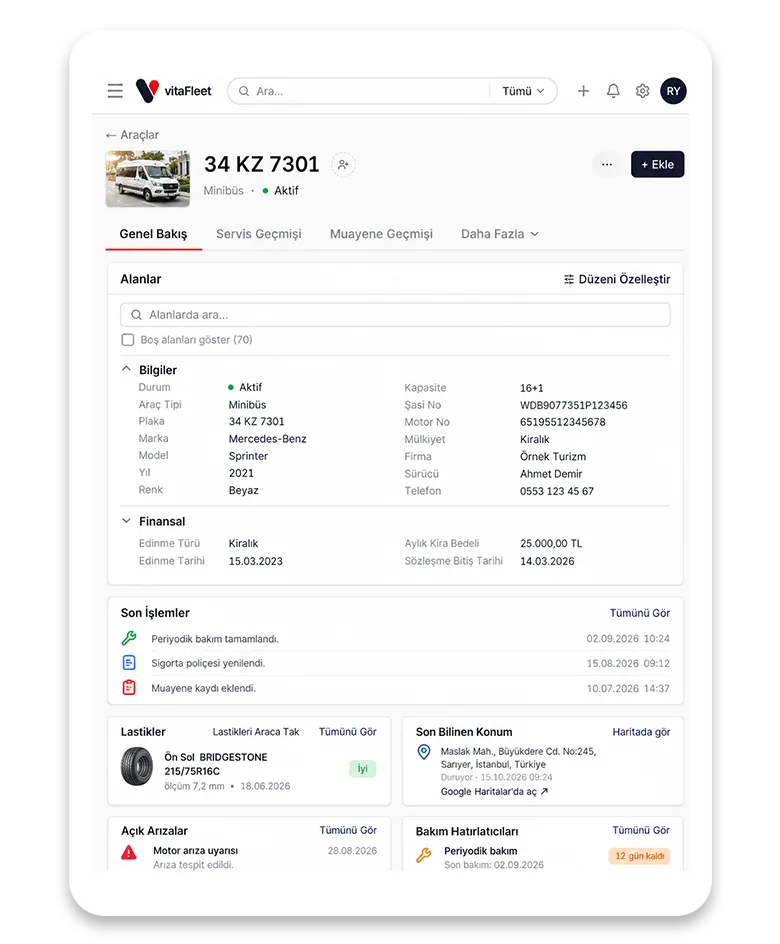
Vehicle Records
Every vehicle in the fleet lives in a single record: from plate and chassis to more than 50 technical fields, from documents to photos and odometer history. You build the list around your own workflow, save it and bring it back in one click.
Technical profile
Make, model, year, engine, chassis and more than 50 fields are grouped into six sections.
Document and photo archive
Registration, policy, contract and images stay attached directly to the vehicle.
Saved views
Save sets of columns and filters as tabs and open them in one click.
Odometer history
Every odometer reading is dated; it updates automatically from fuel and service records.
Maintenance Reminders
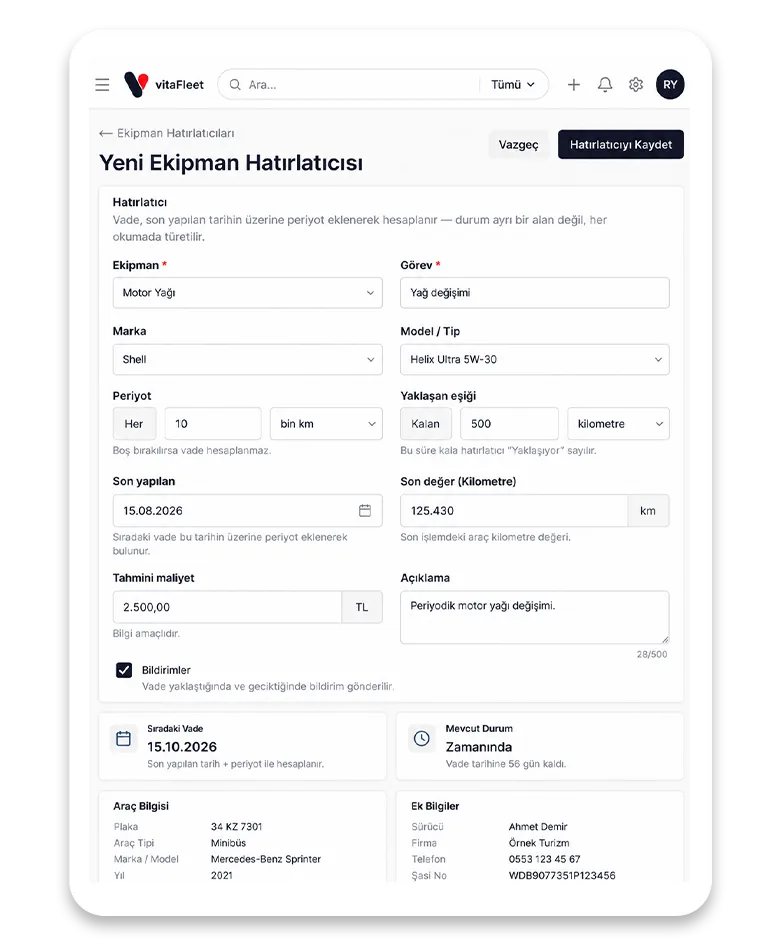
You manage maintenance by the vehicle, not the calendar. Define the km and month interval together and whichever comes first counts as the due date; upcoming and overdue jobs are flagged without anyone chasing them.
Dual interval
Km and months together; in the city the months run out first, on long hauls the km.
Service schedule
Apply the tasks to all vehicles in a plan at once.
Flow to work orders
Due maintenance turns into a work order; when it closes, the reminder rolls forward.
Notify the right person
To the watcher, or if there is none, to the fleet manager; all in a single daily summary email.
Work Orders
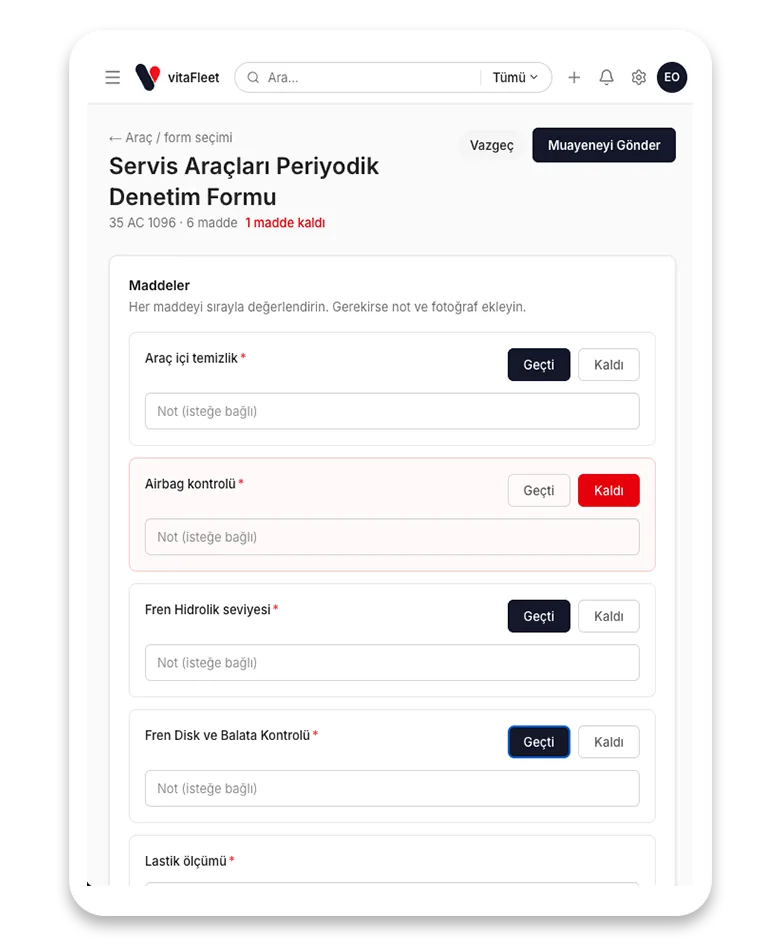
Line items, labor, parts and supplier come together in a single work order. When the job closes, the cost is posted to the vehicle, the parts used are deducted from stock and the record moves to the service history.
Line item split
Labor and parts are separate line items; amounts are kept VAT included.
Supplier
The shop that did the work is linked to the record and compared later in reports.
Stock deduction
Parts used come out of inventory, with a warning when it falls to the critical level.
Service history
A closed job lands in the vehicle's history and updates cost per km.
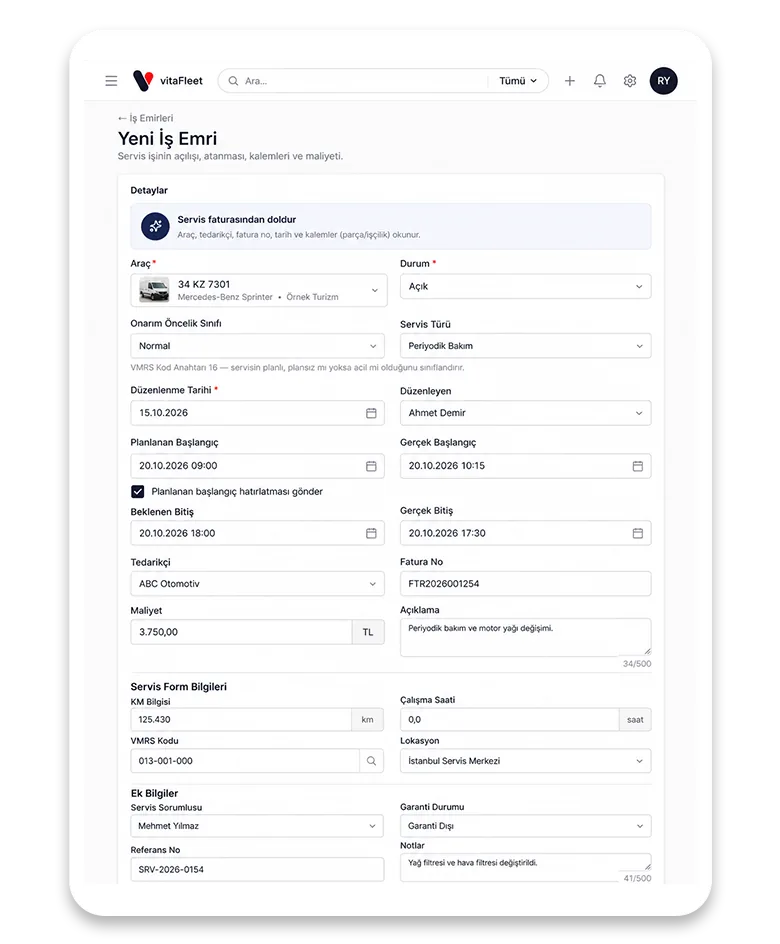
Fuel and Consumption
Every fill-up and charge is recorded; L/100km, kWh/100km and cost per km are calculated automatically for each vehicle. Import fuel card and UTTS (Türkiye's fuel-station vehicle recognition system) statements and reconcile them.
Automatic consumption
Real consumption and efficiency come from the km between fill-ups.
Price deviation
If the unit price goes outside what is expected, the record is flagged.
Electric vehicles
Charging records follow the same layout; consumption is calculated in kWh/100km.
UTTS reconciliation
The fuel-station vehicle recognition statement is matched against your own records.
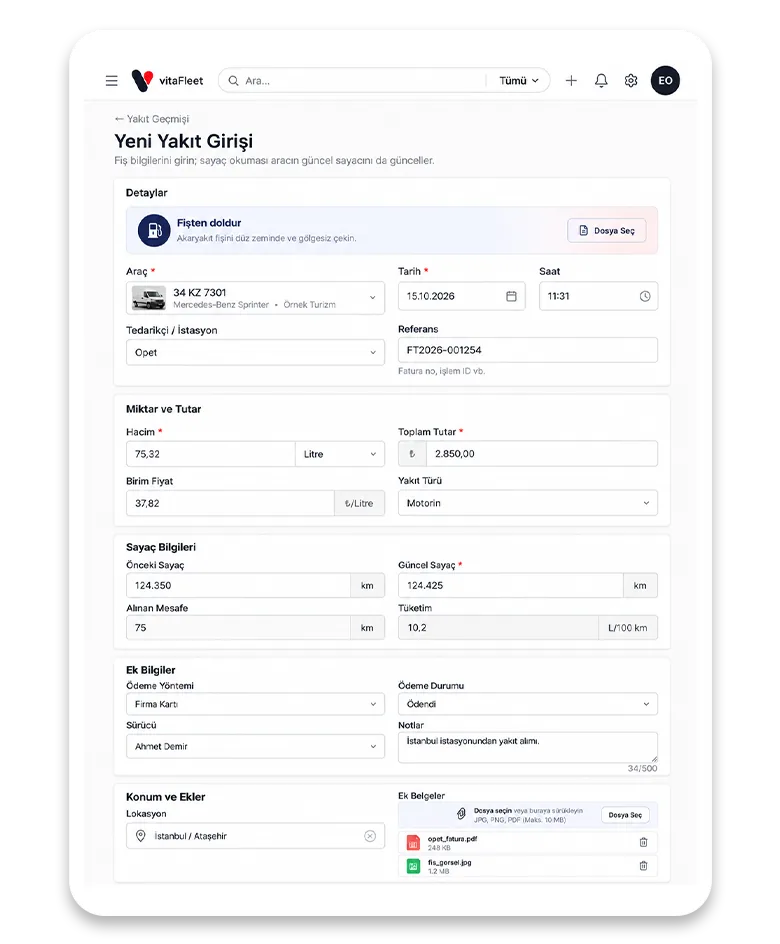
Reports
31 ready-made reports let you run your fleet on evidence, not gut feeling: from cost by vehicle to cost per km, from depreciation to VAT breakdown and replacement analysis.
Cost reports
Total cost and cost per km, broken down by vehicle and by fleet.
Accounting
VAT breakdown and depreciation reports.
Replacement analysis
A keep / watch / replace recommendation based on age, km and accumulated maintenance cost.
Your own view
Pick columns, set up filters and save them as tabs.
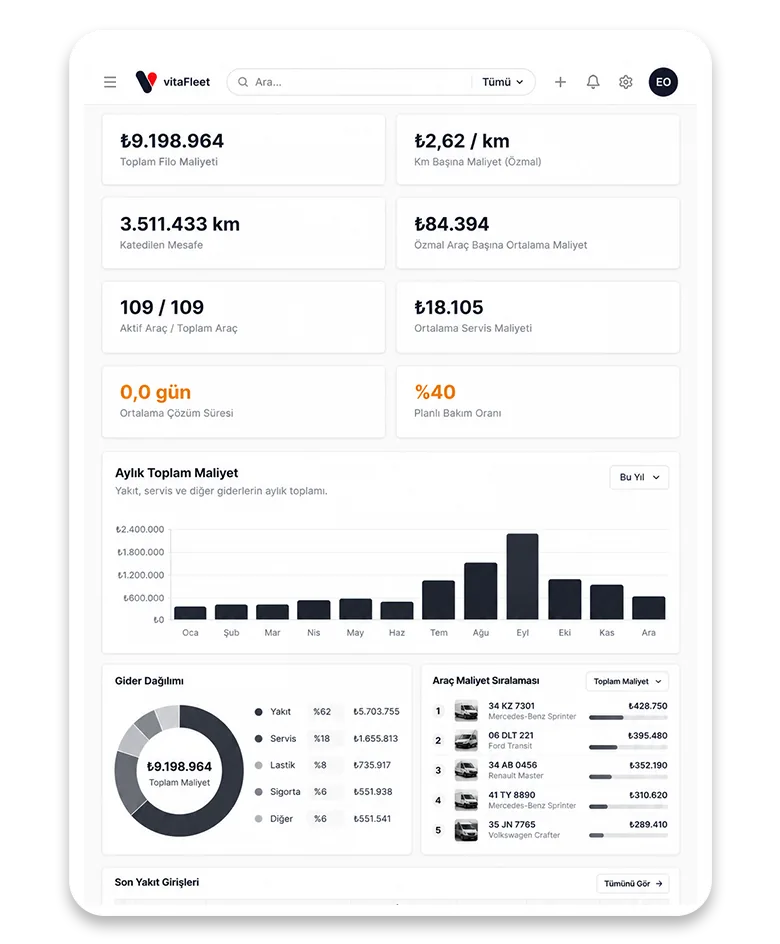
Inspection Forms
Build your own checklists and fill them in on mobile in the field. A failed item turns directly into a fault record and enters tracking; no finding stays on paper.
Custom checklist
Define your own checklist items by vehicle type.
Failed item → fault
An item that does not pass opens a fault record automatically.
Complete in the field
Completed on a phone or tablet, with photos attached.
Scheduled inspections
Schedule periodic inspections for vehicles so you never miss one.
vitaFleet in numbers
What the product offers today
Everything you can use from the day your account opens, with no extra modules to buy.
Ready-made reports
Cost, depreciation, VAT, compliance and replacement analysis
Technical fields
On every vehicle record; documents and photos separately
Quick record actions
From the Add menu on the vehicle screen: service, fuel, inspection and more
Vehicle detail tabs
Service, fuel, inspection, faults and documents in a single record
Benefits
Concrete, measurable
benefits for your fleet
vitaFleet fills the gaps that overseas products overlook: fleet management that fits the way things work in Türkiye from day one, with no installation, connected data and evidence-based decisions.
Built for Türkiye
HGS/OGS (Turkish electronic toll systems), traffic fines, TÜVTÜRK (national vehicle inspection), K-class road transport authorization certificate, UTTS and winter tires are built in from the start — not fields added later.
No installation, quick start
Runs in the browser; as soon as you import your vehicle list from Excel, lists and reports are up and running.
Connected data
Information entered in one place shows on every screen; a fault flows into a work order and a work order into cost, automatically.
Evidence-based decisions
31 ready-made reports and replacement analysis; you manage a vehicle by cost per km, not by gut feeling.
Automatic follow-up
Inspection, insurance, maintenance and document due dates are tracked automatically; one daily summary email keeps you informed.
Role-based and auditable
Each user sees what their role allows; every change is written to the activity log, so who changed what is always clear.
See your whole fleet clearly
Let us prepare a demo that fits your fleet. We take a few details and get back to you within one business day.